VadPosts Try it free

Schedule your posts once. See the response from every platform in one place.

VadPosts is for small business owners who post to Facebook, Instagram, X and Pinterest and don't have someone on staff to do it. Here is a tour of the app using a sample account.

The account shown belongs to Hearth Street Bakery and its coffee cart, Little Kettle Coffee. Both are made up, and so are all the numbers.

90 second tour, no sound. The same screens are below with more detail.

  1. Your day on one screen

    Log in and you land here. Everything that went out today is listed with the views, replies and likes each platform reported. Posts still scheduled for later sit underneath.

    Follower counts for every account are on the left, with the change over the last 30 days.
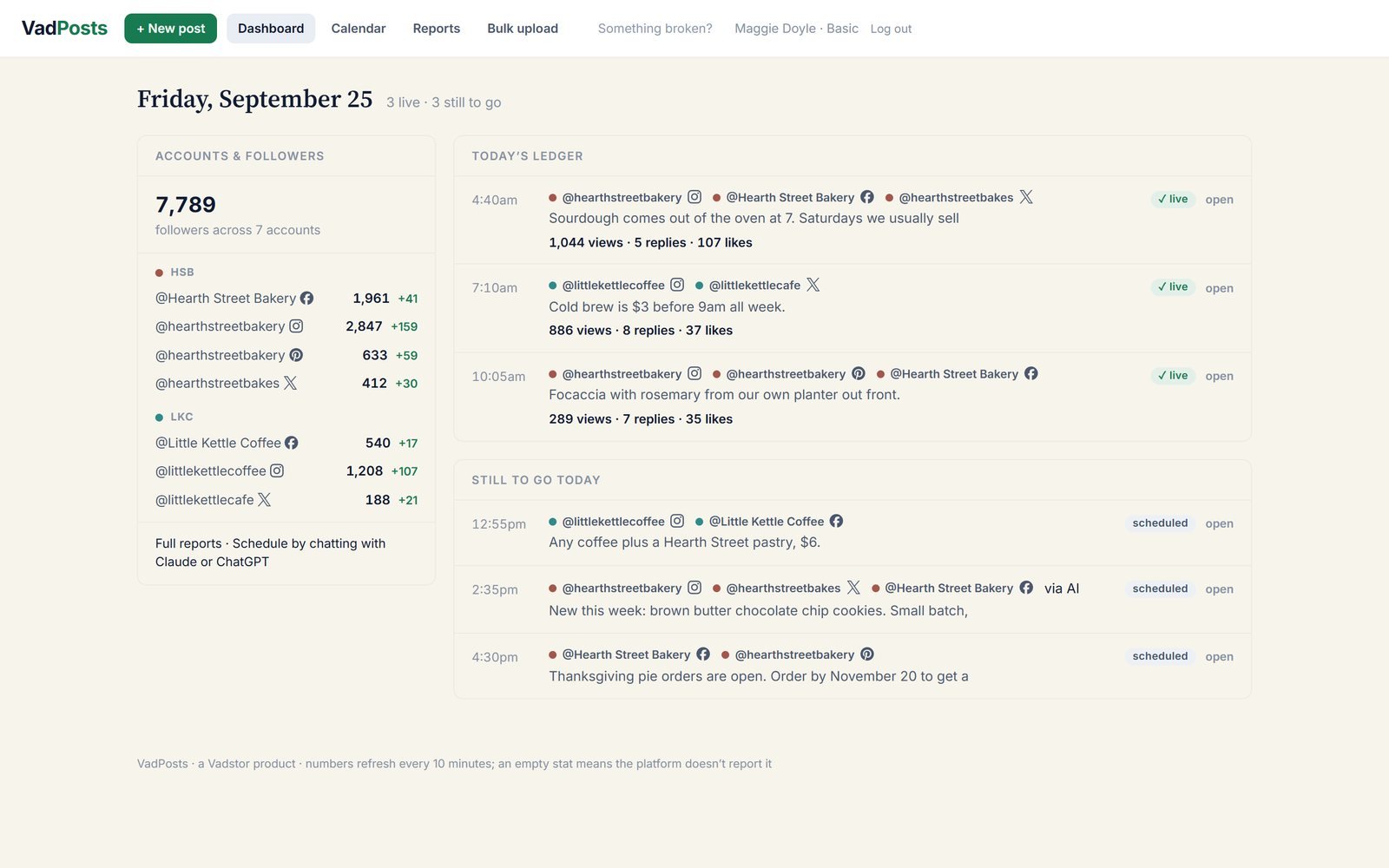
    The VadPosts dashboard showing today's three published posts with their views and likes, three posts still to go, and follower counts for seven accounts
  2. Write it once, send it everywhere

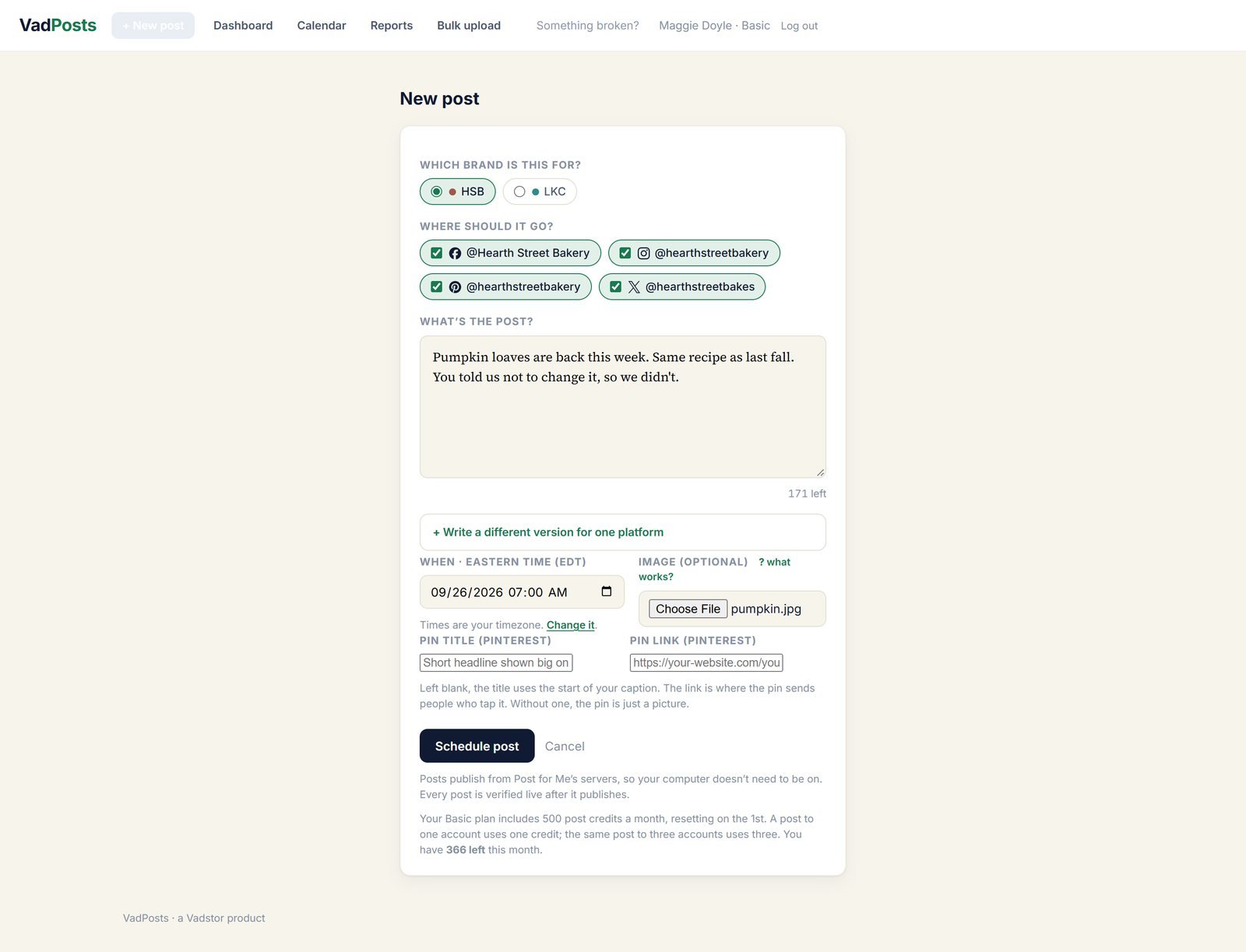
    Pick the brand, tick the accounts, write the post and choose a time. One post can go to Facebook, Instagram, X and Pinterest at once.

    VadPosts knows each platform's rules and warns you before you schedule. A caption too long for X, or an Instagram post with no picture, gets caught here instead of failing later.

    The new post form with the bakery brand chosen, four accounts ticked, a caption written, a time picked and an image attached
  3. Or load a week at a time

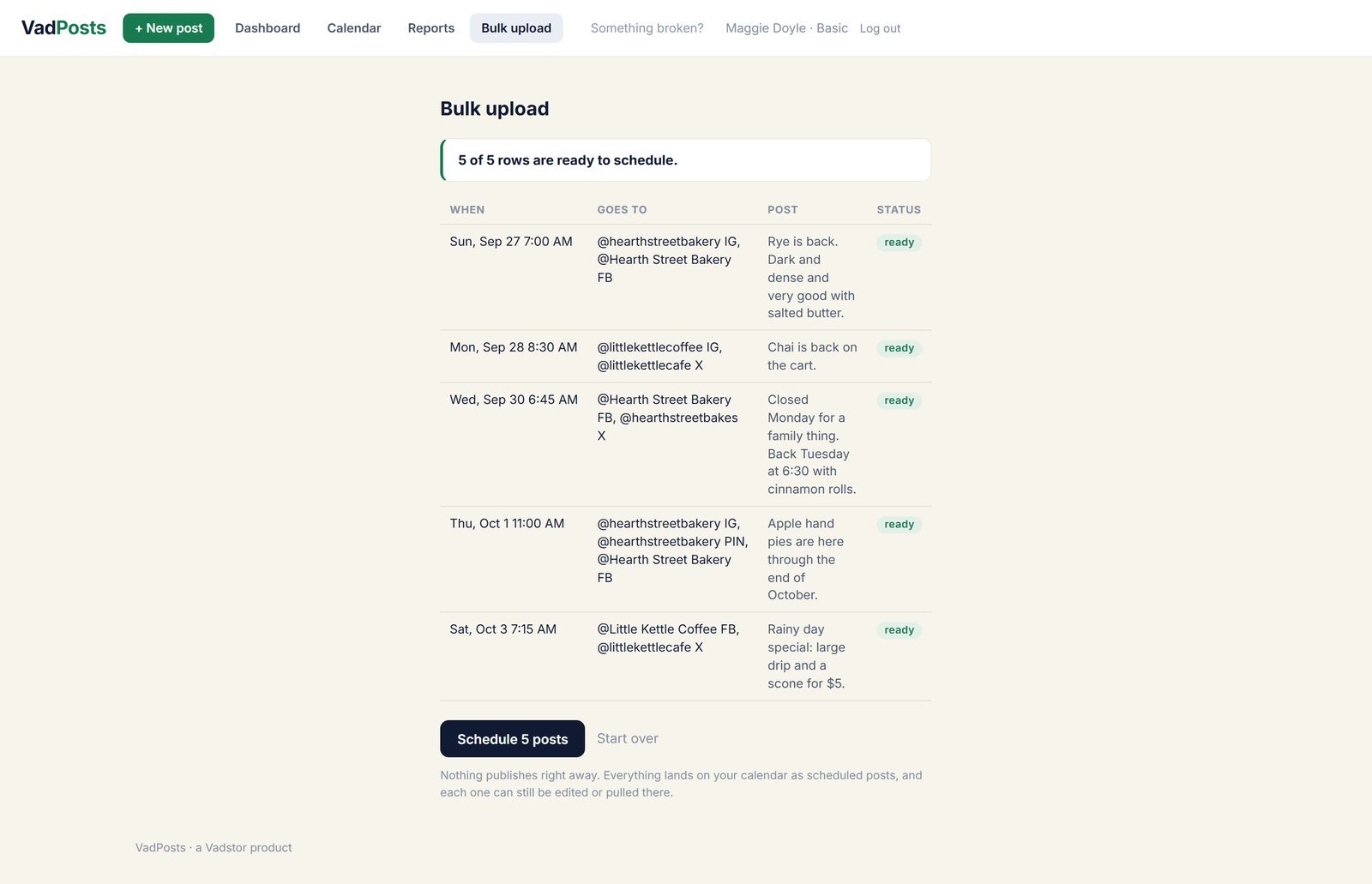
    If you plan posts in a spreadsheet, paid plans let you save it as a CSV file and upload it. Every row is checked and shown to you first. Nothing is scheduled until you press the button.

    Bulk upload preview listing five posts from a spreadsheet, each marked ready, with a Schedule 5 posts button
  4. The whole month

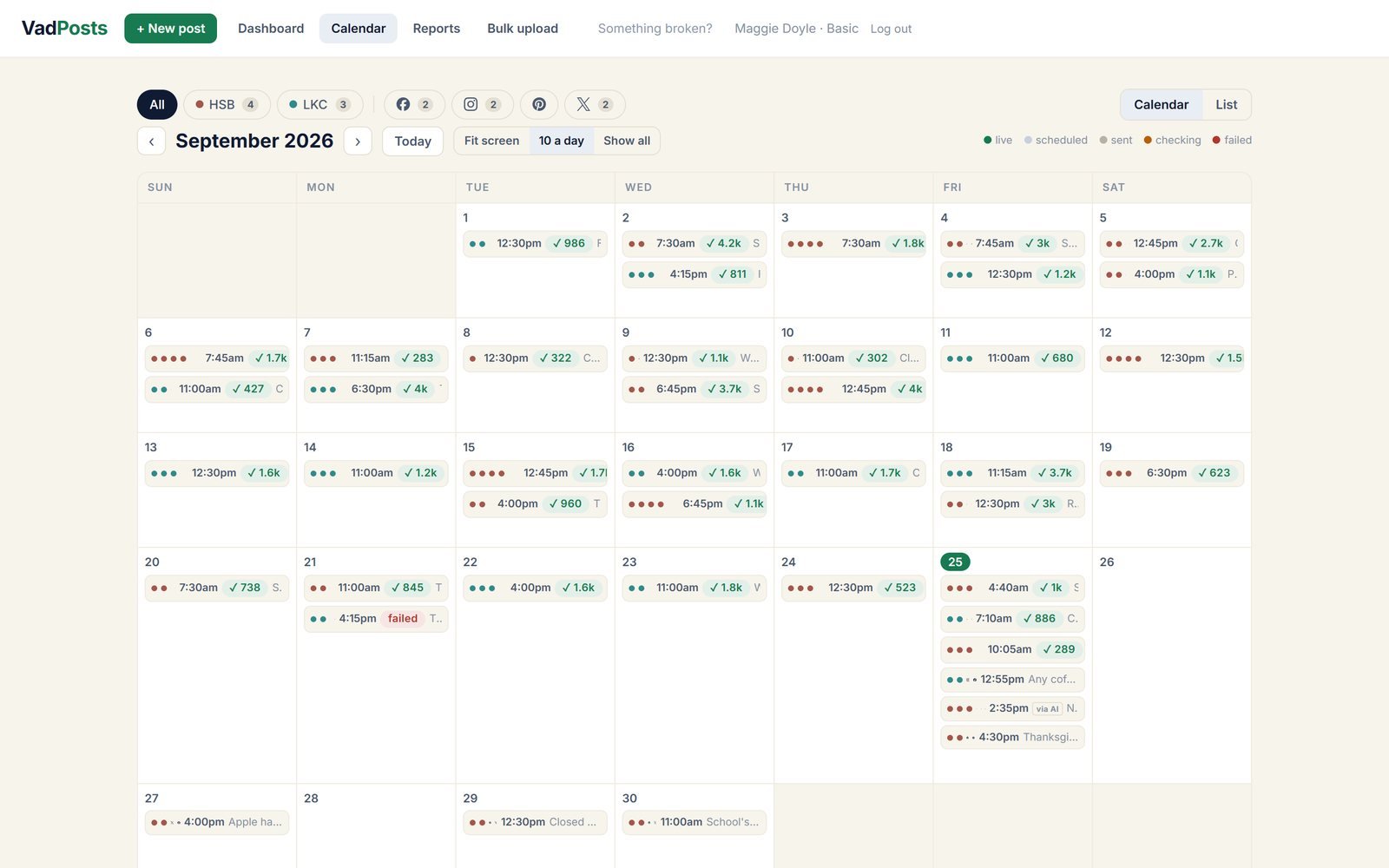
    Everything you've posted and everything coming up. A green check means the post went out, and the number beside it is how many people saw it. Filter by brand or by platform.

    Month calendar for September with posts on most days, green checks showing view counts, and one failed post
  5. Every response in one place

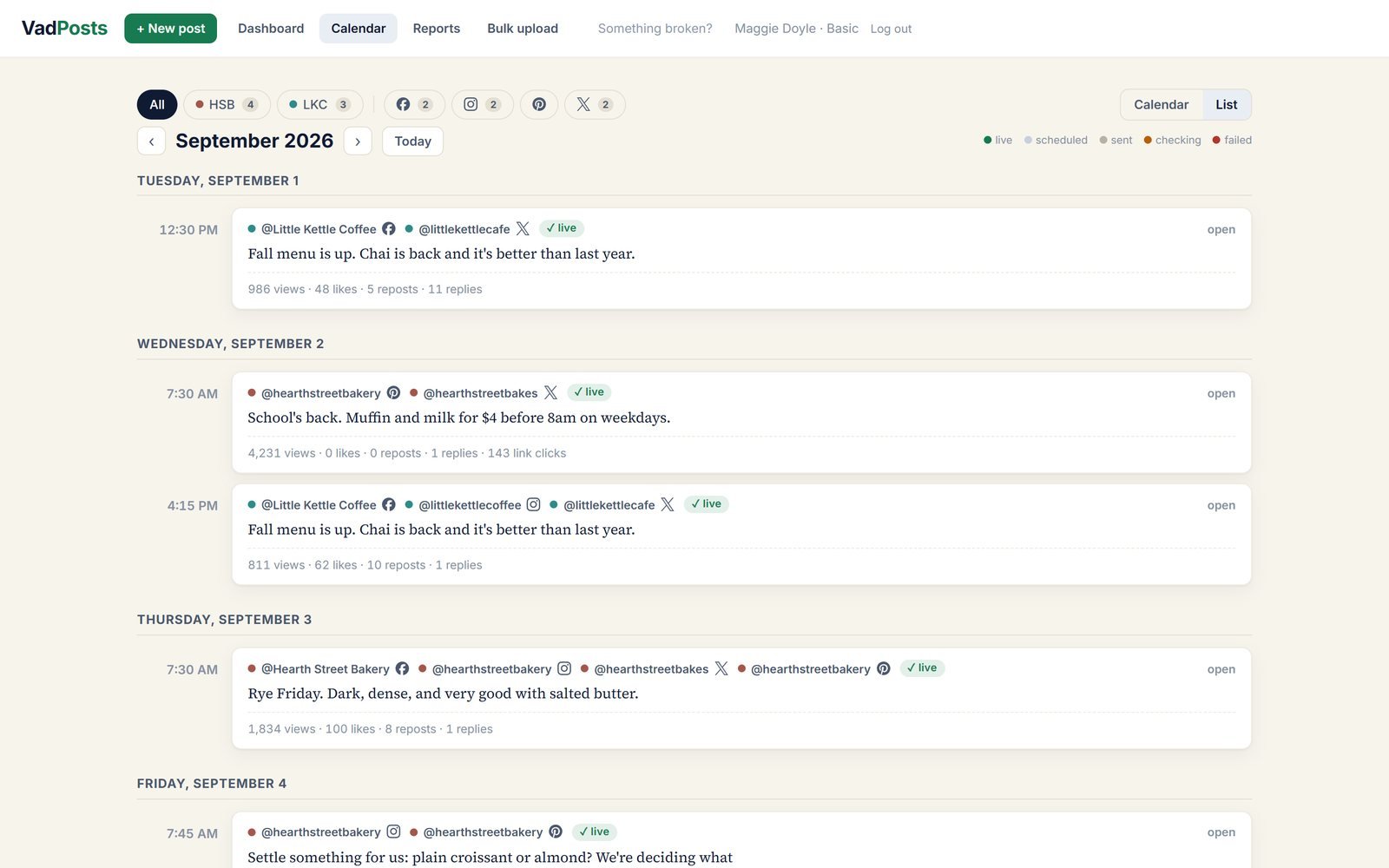
    Switch the calendar to a list and each post shows the views, likes, reposts, replies and link clicks the platforms reported. You don't have to open Facebook, Instagram, X and Pinterest one at a time to see how a post did.

    Calendar list view with each post, the accounts it went to, and its views, likes, reposts, replies and link clicks
  6. When a platform says no

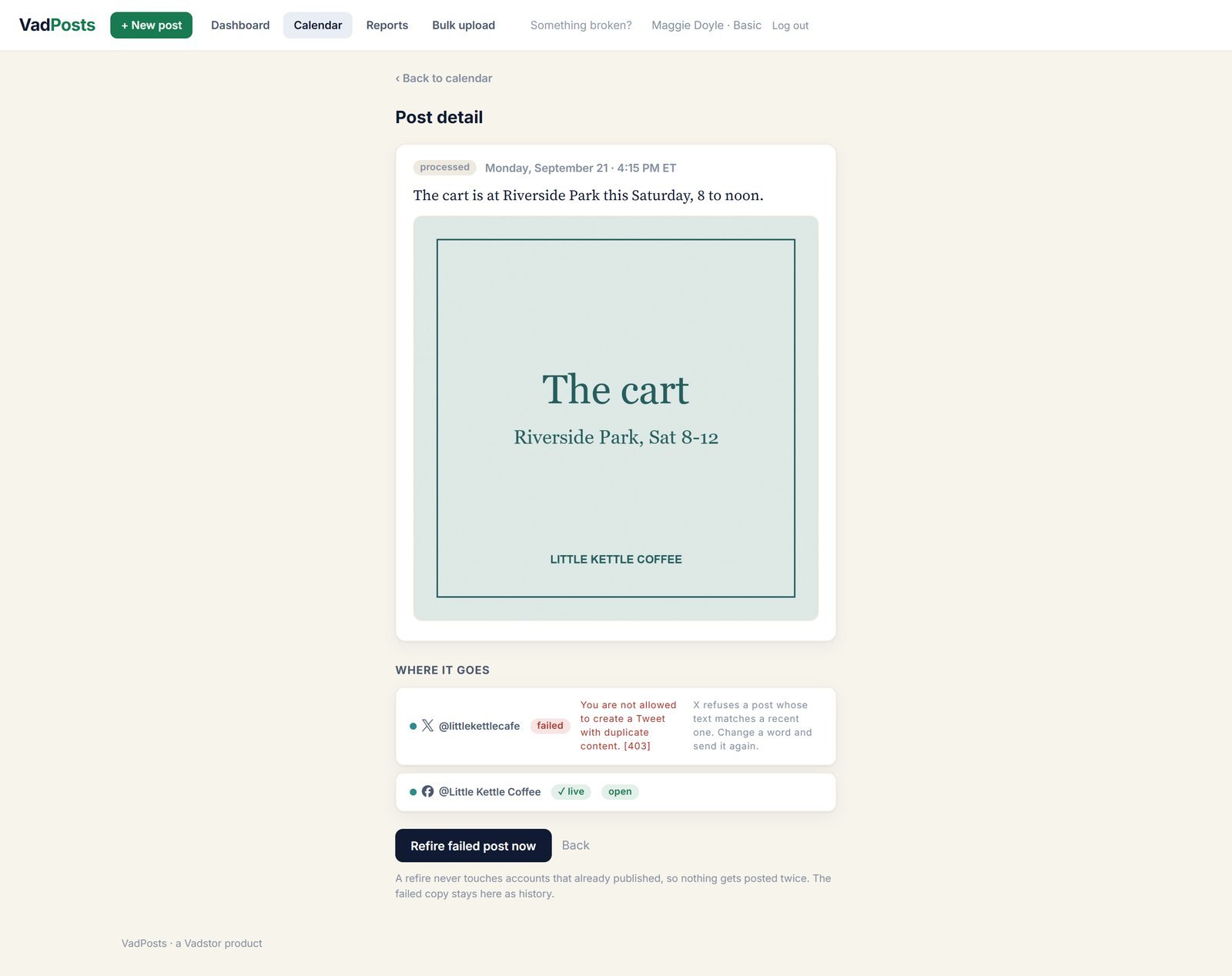
    Posts fail sometimes. When one does you get an email, and this page shows what the platform actually said and what to do about it.

    One button sends it again to only the accounts that missed. The accounts that worked are left alone, so nothing gets posted twice.

    Post detail where X refused the post as duplicate content, Facebook shows it live, and a Refire failed post now button
  7. See what's working

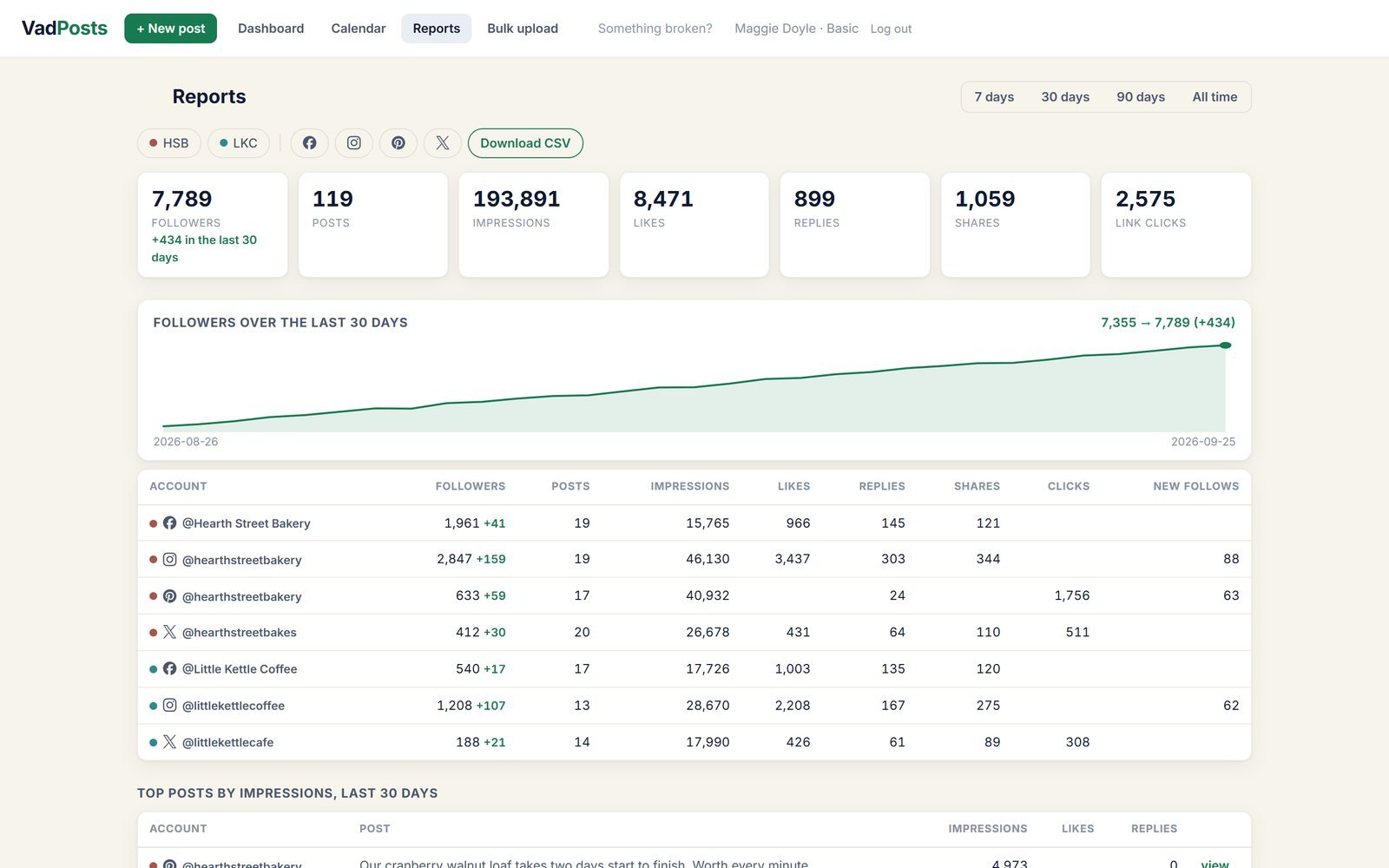
    Followers, views, likes, replies, shares and link clicks for every account over 7, 30 or 90 days, with your best posts ranked underneath. Download it as a spreadsheet whenever you want your own copy.

    Reports page with totals, a rising follower line over 30 days, and a table of numbers for each account
  8. Schedule by chatting with your AI

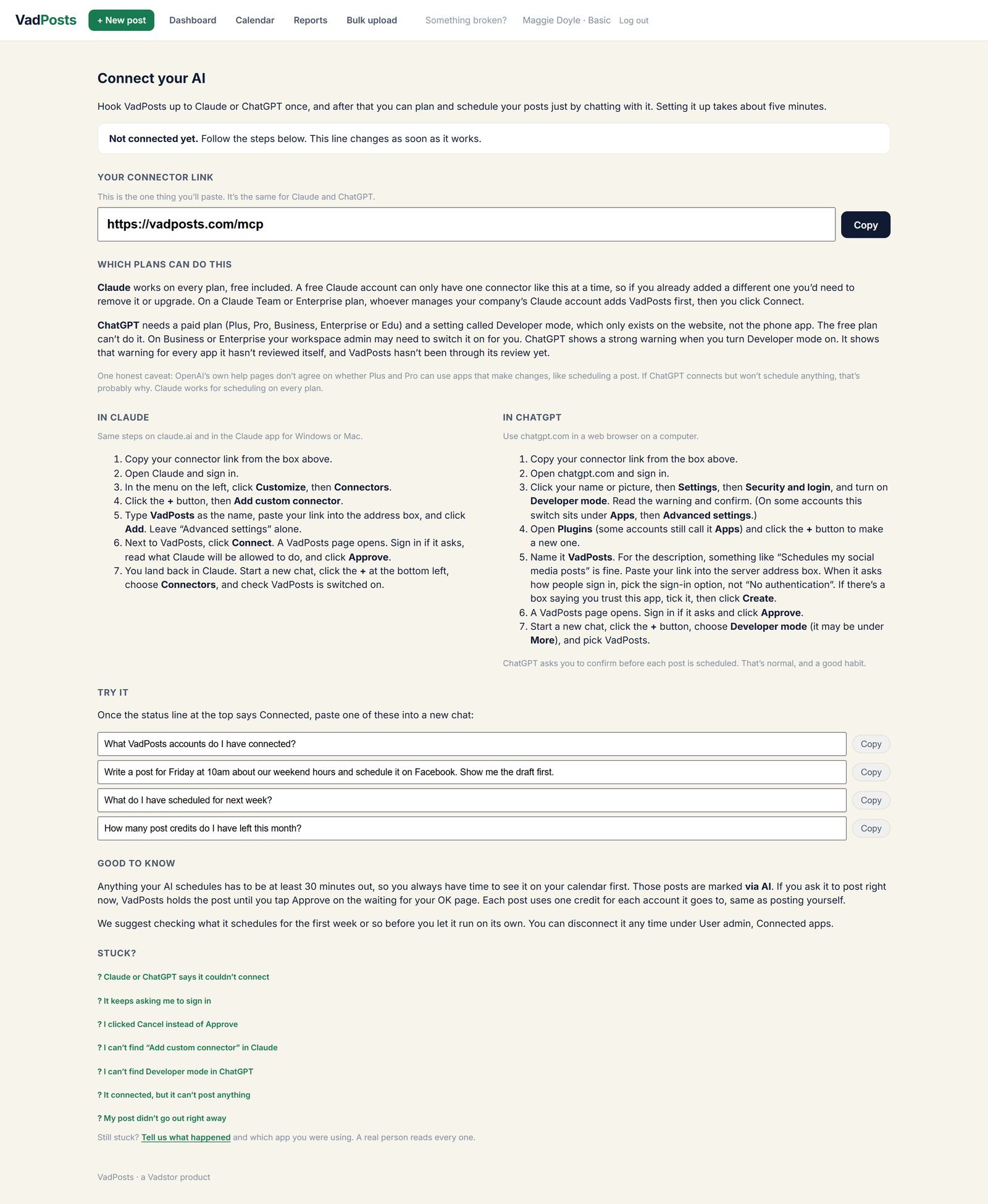
    Connect Claude or ChatGPT and you can plan posts in a conversation. Ask it to write a week of posts and put them on the calendar.

    Anything an AI schedules waits at least 30 minutes and is marked "via AI" on your calendar, so you see it before it goes out.

    The Connect your AI page with the connector link and step by step setup for Claude and ChatGPT
  9. More than one business

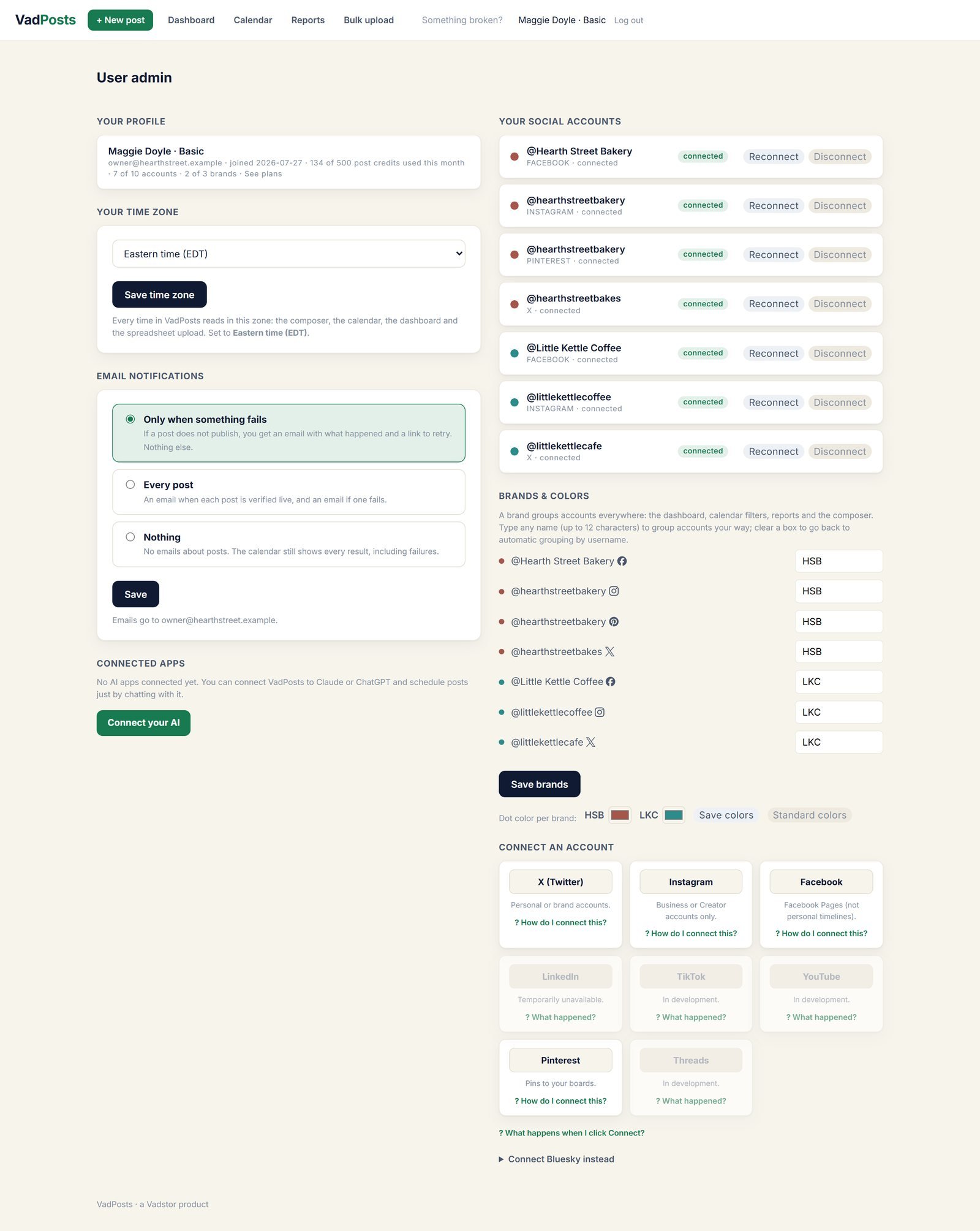
    Group accounts into brands, each with its own color. The dashboard, calendar and reports all filter by brand, so a bakery and a coffee cart stay separate.

    Account settings showing seven connected accounts grouped into two brands with their own colors

Start on the Free plan

No card. You get 30 posts in your first 30 days, then 15 a month, across two social accounts. Each account you send a post to uses one of them. Sign up and connect your first account in a few minutes.

Start free

Every screen above is the real app running with a sample account. Hearth Street Bakery, Little Kettle Coffee and their numbers are fictional.